
Search Racine County Civil Court Records
Racine County Civil Court Records are available through the county clerk of circuit court in Racine and through Wisconsin Circuit Court Access. If you need to find a case, ask for a copy, or verify a search result, Racine County gives you both a county office and a public portal. That matters because Racine is a busy county with a full court docket, and users often need to move quickly from a summary result to an actual file request. The county clerk office is the source for the file, while the portal is the fastest way to check the case first.
Racine County Civil Court Records at the Clerk
The local office for Racine County Civil Court Records is the Racine County Clerk of Circuit Court. The research lists the office at Racine County Courthouse, 730 Wisconsin Avenue, Room 200, Racine, WI 53403, with phone number (262) 636-3333. Office hours are Monday through Friday, 8:00 AM to 5:00 PM. The research also lists separate division numbers for family, felony, misdemeanor and juvenile, probate, and traffic courts. That shows how broad the county office is and why the right extension matters.
The county clerk page at Racine County Clerk of Circuit Court is the main official local source. It gives the office, the divisions, and the record-search fee. Racine County also has a separate copy-request page for obtaining files from a court file, which helps users who need more than a quick case check.
Racine County Civil Court Records are easier to request when you know the department, the file name, and whether you need a plain copy or a certified copy. The county page is detailed enough that a user can prepare the request before calling the office. That saves time in a courthouse that handles a large volume of cases. The courthouse also publishes direct lines for family, felony, misdemeanor and juvenile, probate, and traffic court staff, which helps users sort out where a matter belongs before they ask for records.
The Racine County clerk page is the official local source for Racine County Civil Court Records contact details.
That image points to the Racine County clerk page and gives Racine County Civil Court Records a direct courthouse contact source.
How to Search Racine County Civil Court Records
Start with Wisconsin Circuit Court Access when you need a public case summary. Racine County Civil Court Records on WCCA can be searched by party name, business name, or case number. The portal shows public case information entered by county staff and is the quickest way to check whether the case exists before you ask for a copy.
Because Racine County is a major county, its public records trail can be busy. WCCA still gives you the clean starting point, but it does not replace the file. If you need the actual order, motion, or certified copy, the county clerk office is still where the request goes. The county copy page is especially useful when you need written instructions for how to obtain documents from a court file.
The statewide case search portal and the State Law Library court records guide explain the portal structure and its limits. Those pages are a solid backup when you want to compare Racine County's local process with the statewide search system. The WCCA entry can be enough for a quick check, but Racine County's local instructions are better when the request is specific.
If you know the file you need, the county page can move the request along more quickly than a general search result. That is helpful in a large county where a case may have multiple divisions or a more complex record trail. The county's public summary tool is also useful when the request begins with a name and not a case number.
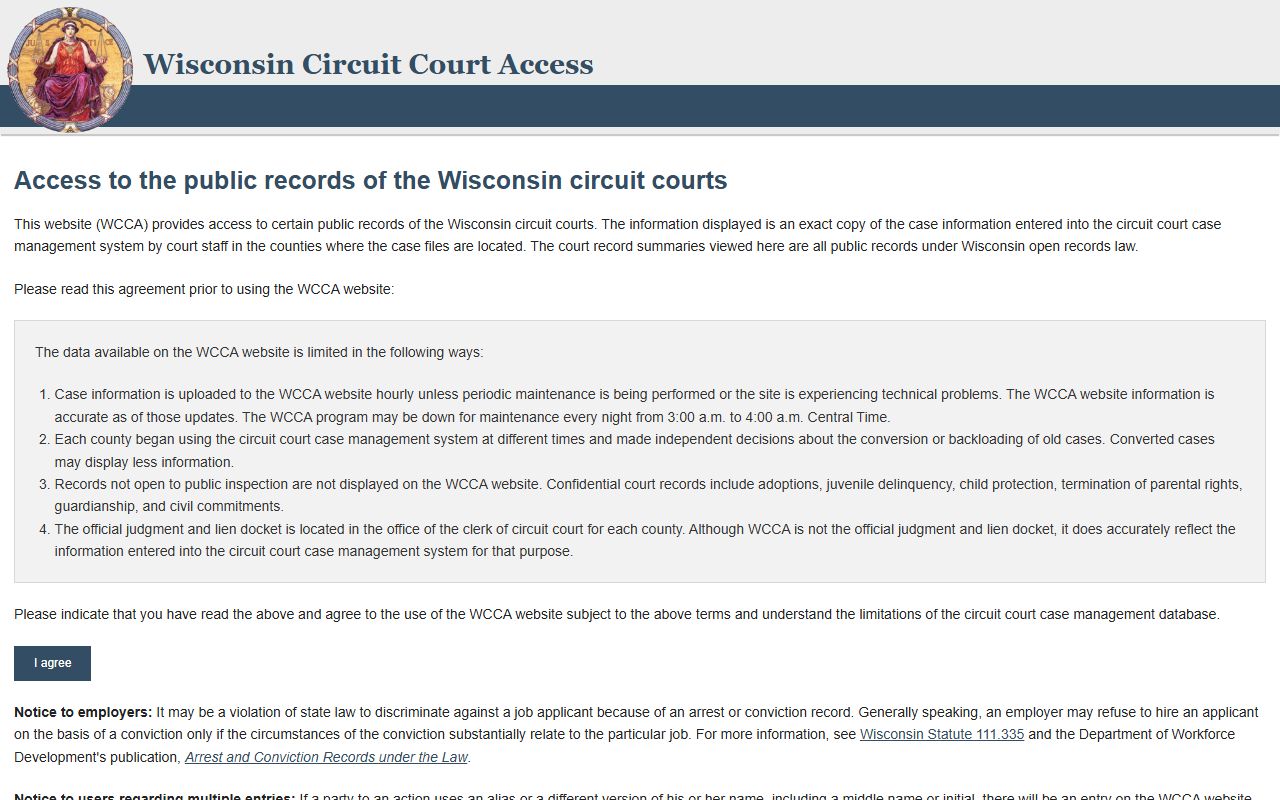
The WCCA portal is the main statewide search tool for Racine County Civil Court Records.
That image shows the statewide portal used to confirm a Racine County civil case before contacting the clerk.
Racine County Civil Court Records Copy Requests
Racine County has a dedicated page for copying or viewing court files. That local page is one of the more useful sources in the research because it explains how to obtain copies from a court file rather than leaving users to guess. In a county as busy as Racine, that kind of instruction matters. It helps a requester know what information to gather before calling or visiting.
The county also gives a record search fee of $5.00 per name, a copy fee of $1.25 per page, and a certification fee of $5.00 per document. Those numbers are helpful because they let the requester decide whether a case check, a plain copy, or a certified copy is needed. Racine County Civil Court Records requests are easier when the price of the request is known before the office is contacted.
If you want a local criminal or family division phone line, the county page lists those too, but the civil file still lives with the clerk office. The county's local instructions and public search tool work well together. Use the copy page when you need the document path and WCCA when you need the summary. That split keeps the request practical in a large county with many court functions.
The copy page also gives the county a much more direct workflow than a generic records page. Instead of forcing the requester to guess about format, the instructions point to the actual file and explain how to get it. That is the sort of local detail that makes Racine County easier to work with than a county page that only lists a phone number. It also gives the requester a better idea of whether a visit or a mail request is the smarter next step.
The Racine County copy page is the main local source for Racine County Civil Court Records document instructions.
That image points to the Racine County instructions for viewing or obtaining copies from a court file.
Racine County Civil Court Records Public Access
Wisconsin public access begins with Wis. Stat. Chapter 19, and Supreme Court Rule 72 explains retention. Those rules help explain why Racine County Civil Court Records are public in summary form but still kept locally by the clerk office. The public portal is not the file holder. The courthouse is.
Racine County Civil Court Records are easiest to manage when you search in stages. WCCA gives you the summary. The county copy page gives you the request method. The clerk office gives you the file. That is the cleanest way to handle a busy county court record search without mixing up public access with copy rights.
If you need forms after you locate the case, Wisconsin keeps them at Wisconsin court forms. Racine County Civil Court Records work best when you stay inside the county page, the portal, and the state forms page. The county's public access trail is also helpful because it makes the separation between summary data and release procedures obvious.
A requester can check the record, see the fee, and then decide whether a plain or certified copy is worth ordering. That keeps the process practical and keeps the user inside official records tools from start to finish. The county page, copy page, and statewide portal work as a single path rather than three disconnected pages.